Recent tests and platform updates in 2025 show wide variance in automated transcript quality: YouTube closed captions can score anywhere from ~60% to 95% word accuracy depending on audio chain, language model updates, and post-processing. For creators who route live or recorded audio through OBS, small configuration mistakes turn otherwise accurate results into garbled captions. This guide explains why OBS captions sometimes fail on YouTube, which factors most strongly affect accuracy, and precise fixes you can implement right now to improve both live and uploaded caption quality.
The scope covers live streams and uploaded videos, English-first but broadly applicable to other languages. Practical diagnostics, measurable tests, and copy-ready troubleshooting steps are included so you can reduce failed transcriptions, speed up manual edits, and keep viewers who rely on captions engaged.
Background — How OBS captions and YouTube closed captions work
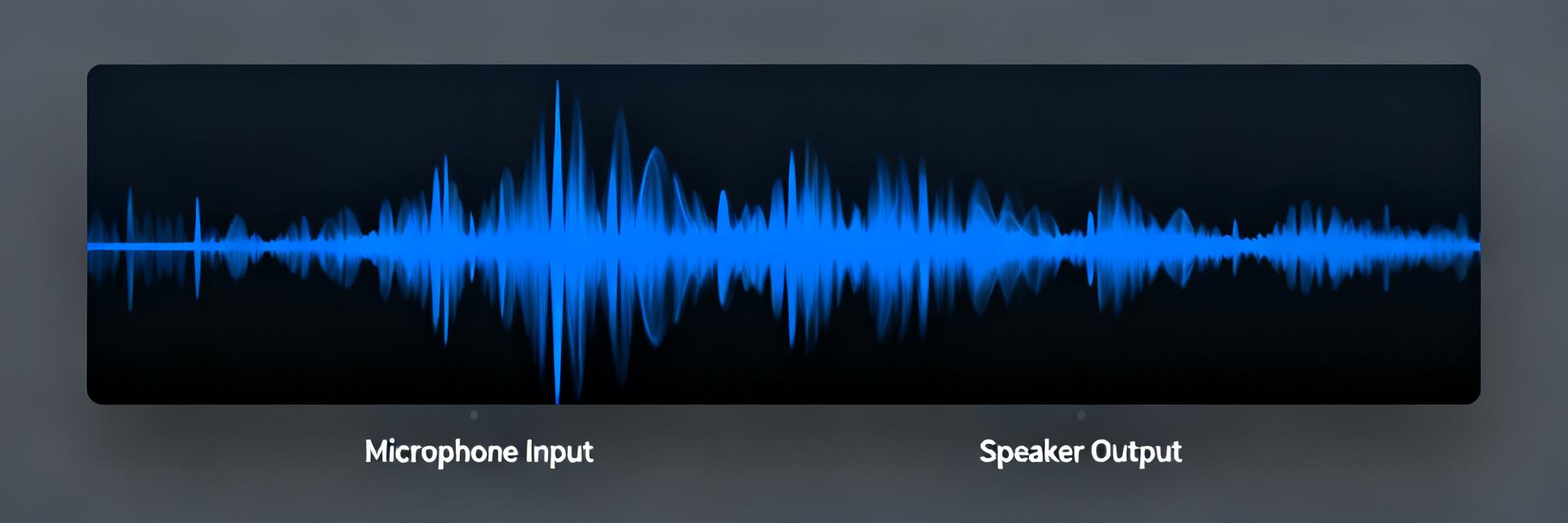
OBS captioning methods
Point: OBS integrates captions via several common paths. Evidence: creators use browser-source caption overlays, third-party STT services piped into OBS, or virtual-audio routing to cloud STT. Explanation: in a typical chain the mic -> OBS -> STT -> browser source -> YouTube flow, each hop can alter audio quality or timing; overlays are “baked” on the stream while separate SRT files remain independent and editable. Test locally by opening the same overlay URL in a browser to isolate OBS from the service.
YouTube auto-caption pipeline & limitations
Point: YouTube runs server-side transcription models for uploads and live streams. Evidence: models perform language detection, acoustic modeling, and post-processing before publishing captions. Explanation: limitations include low signal-to-noise ratio, overlapping speakers, background music, accents, and technical terms that cause systematic errors in YouTube closed captions; improving upstream audio and providing better transcripts reduces those errors.
Data analysis — What actually impacts accuracy
Quantitative factors: SNR, bitrates, and sample rate
Point: measurable audio parameters correlate strongly with STT accuracy. Evidence: higher signal-to-noise ratio and correct sample rate mitigate word error rate (WER). Explanation: run a 30–60s clip at normal level, export lossless, and compare WER between YouTube auto-captions and a chosen STT provider; ensure 48 kHz sample rate and avoid mic preamp clipping to keep WER low. Suggested test name: "OBS captions accuracy test for YouTube".
| Parameter | Recommended Target | Impact on Caption WER (Word Error Rate) |
|---|---|---|
| Sample Rate | 48 kHz (Matched system-wide) | Critical. Mismatches cause pitch shifts and clock drift, spiking WER. |
| Signal-to-Noise Ratio (SNR) | > 25 dB | High. Background hum or fan noise degrades acoustic model decoding. |
| Audio Peak Level | -12 dB to -6 dB (No clipping) | High. Over-saturation causes waveform squaring, destroying consonant recognition. |
| Bitrate (Streaming) | > 128 kbps (AAC-LC) | Moderate. Aggressive compression artifacts alter high-frequency speech cues. |
Qualitative factors: accents, jargon, and speaker overlap
Point: non-acoustic factors also drive errors. Evidence: accents, domain-specific vocabulary, and overlapping talk degrade model outputs. Explanation: mitigate with short scripted segments for critical content, consistent speaker turns, and custom dictionaries or glossaries where supported; for tutorials, name speakers on separate tracks or use manual passes around technical sections.
System Architecture — Signal Flow Diagram
Common OBS → YouTube caption failures & diagnostics
Failure patterns and quick diagnostic checks
Point: failures show clear patterns: captions missing, delayed, repeating words, or frequent mistranscriptions. Evidence: these symptoms map to routing, sample-rate mismatches, or service drops. Explanation: diagnostic checklist—confirm audio routed into OBS, verify sample rate is 48 kHz in both OBS and OS, open the browser-source URL directly, check OBS logs for STT errors, and test with a local recording versus YouTube auto-captions to isolate where degradation occurs.
Plugin, browser-source and encoding conflicts
Point: software conflicts often break overlays or timing. Evidence: browser-source overlays can be blocked by mixed content, CORS issues, or incorrect HTML5 overlays; variable frame rate encoders shift caption timing. Explanation: open the overlay in Chrome to check console errors, set OBS to constant frame rate, temporarily disable other plugins, and review OBS logs; these quick isolations typically reveal whether the problem is network, plugin, or encoding-related.
Case examples — Two real-world problems and fixes
Case A — Live stream: captions lag or stop after a few minutes
Point: captions that initialize then freeze usually indicate STT connection instability or rate limits. Evidence: logs show WebSocket disconnects or repeated reconnect attempts. Explanation: switch to a more stable STT endpoint, implement heartbeat/reconnect logic in the caption service, reduce audio complexity, and raise network QoS for streaming; check caption service logs and measure packet loss with simple ping/traceroute checks during a repro stream.
Case B — Uploaded video: auto-captions full of errors on product names/technical terms
Point: YouTube models struggle with brand names, acronyms, and code. Evidence: repeated mis-transcriptions of the same tokens across uploads. Explanation: export a high-quality local recording, run a high-accuracy STT or manual pass, upload an SRT/VTT to replace auto-captions, and use the YouTube subtitle editor to fix recurring mistakes; allow a manual pass of about 2–3 minutes per 10 minutes of audio for critical videos.
Creator checklist — Concrete pre-stream and post-upload actions
Pre-stream setup
Point: small preflight steps prevent many caption problems. Evidence: streams with correct gain and sample rate show far fewer errors. Explanation: set mic gain so there’s no clipping, match sample rate to 48 kHz, keep music low or off during speech, test captions locally for 60 seconds, and choose whether you’ll use a browser-source overlay or server-side SRT injection based on latency and editability.
Post-upload verification & editing
Point: post-upload edits recover viewer trust faster than re-uploads. Evidence: replacing auto-captions reduces viewer complaints and improves SEO. Explanation: wait for YouTube auto-captions, download the auto SRT, diff it against your transcript, then edit in YouTube Studio or upload a corrected SRT/VTT; replace auto-captions for product demos and tutorials where accuracy is critical.
Summary
Automated captions are better than ever, but accuracy depends on the whole signal chain — from mic choice and OBS routing to YouTube’s transcription model. Start with audio-quality and routing fixes, add robust STT connection handling for live streams, and use human-corrected transcripts for high-value uploads to maximize the utility of OBS captions and YouTube closed captions.
- Prioritize raw audio quality (48 kHz, no clipping) and stable routing; good upstream audio yields lower WER for OBS captions and improves YouTube closed captions.
- Run measurable tests: record a 30–60s clip, compare WER between YouTube and a high-accuracy STT, and document sample-rate and SNR to reproduce results.
- For live streams, add heartbeat/reconnect logic and monitor STT logs; for uploads, export lossless, run STT, and upload corrected SRT/VTT to replace auto-captions.
Frequently Asked Questions
Why do OBS captions fail with YouTube closed captions?
Common causes are low SNR, sample-rate mismatches (e.g., 44.1 kHz vs 48 kHz), overlapping speakers, and unstable STT connections. You should check OBS audio routing, confirm 48 kHz throughout, inspect browser console errors for overlays, and test with a local recording to determine whether the fault is local or server-side.
How can you test OBS captions accuracy for YouTube?
Record a controlled 30-60 second clip at normal speaking level, export lossless audio, upload it, and compare the word error rate (WER) against a trusted STT provider. Document SNR, sample rate, and mic gain; repeat across varied content to build a reliable baseline.
How do you fix OBS captions not showing on YouTube live?
Check that the caption overlay URL is reachable in Chrome, ensure OBS is sending the audio to the caption service, verify encoder/frame-rate settings, and inspect logs for WebSocket drops or rate-limit errors. If needed, switch to a more resilient STT endpoint or inject server-side SRT for critical broadcasts.
What is the optimal audio configuration for minimizing caption WER?
Set system and OBS sample rates strictly to 48 kHz, maintain an audio signal-to-noise ratio (SNR) above 25 dB, prevent digital clipping, and direct clean mic audio (sans background music) to your speech-to-text transcription engine.


